
Views: 0 Author: Site Editor Publish Time: 2026-06-03 Origin: Site


Headset microphones almost always bottleneck audio clarity during competitive gaming and content creation. Tiny capsules simply cannot capture the full resonance of the human voice. Gamers often face a frustrating core conflict. They want an aesthetically pleasing desk setup featuring vibrant lighting, but they also require uncompromising vocal clarity. You should never have to choose between a beautiful stream and sounding professional.
We will show you exactly how to evaluate and choose a standalone mic. You will learn to navigate polar patterns, connectivity types, and software ecosystems. Read on to discover how to select the perfect model without sacrificing audio fidelity for lighting gimmicks. By understanding core acoustic principles, you can easily build an incredible streaming environment. This guide provides the technical knowledge you need to upgrade your setup correctly.
A high-quality standalone microphone drastically improves voice isolation and dynamic range compared to standard gaming headsets.
When evaluating an RGB gaming microphone, prioritize a cardioid polar pattern to reject background noise like mechanical keyboard clicks and PC fans.
USB connectivity offers optimal plug-and-play performance for most gamers, while XLR setups provide long-term scalability for dedicated streamers.
RGB functionality should be evaluated on software compatibility and system resource drain, not just visual brightness.
Proper implementation—specifically using a boom arm and shock mount—often impacts final audio quality as much as the microphone hardware itself.
Most gamers start their journey using a standard headset. While convenient, these built-in communication tools present severe physical limitations. Headset microphones rely on miniature capsules. These tiny components physically lack the space needed to capture wide frequency responses. Manufacturers heavily compress the audio signal to compensate for hardware shortcomings. This compression leaves your voice sounding thin, nasal, or robotic during critical Discord calls.
Upgrading to a dedicated RGB Gaming Microphone instantly solves these physical constraints. Standalone hardware utilizes much larger capsules. It captures the deep bass notes and crisp highs of your natural speaking voice. Beyond audio fidelity, visual aesthetics play a massive role in modern gaming setups. RGB lighting serves as more than just a flashy gimmick. Vibrant lighting acts as a core component of stream branding. It creates ambient setup cohesion across your desk.
A successful audio upgrade meets three strict criteria. First, you must experience zero clipping during loud, intense callouts. Second, your teammates or viewers need clear voice separation from explosive game audio. Finally, the hardware must offer seamless aesthetic integration into your existing setup. Hitting all three marks requires looking past the marketing jargon.
The microphone capsule determines how the hardware translates acoustic soundwaves into electrical signals. You will primarily encounter two distinct technologies. Choosing the wrong one for your room ruins your audio experience.
Condenser Microphones: These models are highly sensitive. They easily capture natural voice nuances, whispers, and emotional vocal shifts. However, they demand a quiet, acoustically treated room. If you live near a busy street, a condenser will pick up the traffic.
Dynamic Microphones: These models excel at rejecting background noise. They use a heavier internal mechanism requiring louder sound sources to move. They represent the ideal choice for untreated bedrooms, noisy households, and loud gamers.
The polar pattern dictates the three-dimensional space where the microphone listens. Gamers should strictly prioritize the cardioid polar pattern. Cardioid captures audio directly in front of the capsule while rejecting noise from the rear. This front-focused capture perfectly suits a desk setup. It ignores the monitor behind the mic and the keyboard underneath it.
You should actively avoid using omnidirectional modes during gameplay. Omnidirectional patterns capture sound in a 360-degree sphere. Using this mode guarantees your microphone will pick up mechanical keyboard clack, PC fan whine, and hollow room echo.
Audio brands frequently market astronomical sample rates to justify premium prices. They push 192kHz/24-bit audio as a necessity for gaming. We need a reality check here. Standard 48kHz/16-bit or 24-bit audio remains mathematically sufficient for voice communications.
The Nyquist-Shannon sampling theorem dictates a sample rate must be twice the highest frequency captured. Human hearing peaks at 20kHz. A 48kHz sample rate easily captures up to 24kHz. Twitch and Discord compress your audio anyway. Paying extra strictly for 192kHz provides zero tangible benefit for gaming.
Specification | Marketing Claim | Gaming Reality |
|---|---|---|
192kHz Sample Rate | "Studio-grade ultra high-res audio." | Overkill. Discord caps voice bandwidth significantly lower. |
48kHz Sample Rate | "Standard entry-level audio." | Perfect. Accurately captures full human vocal range. |
24-bit Depth | "Massive dynamic range for screaming." | Useful for editing, but 16-bit works fine for live streams. |
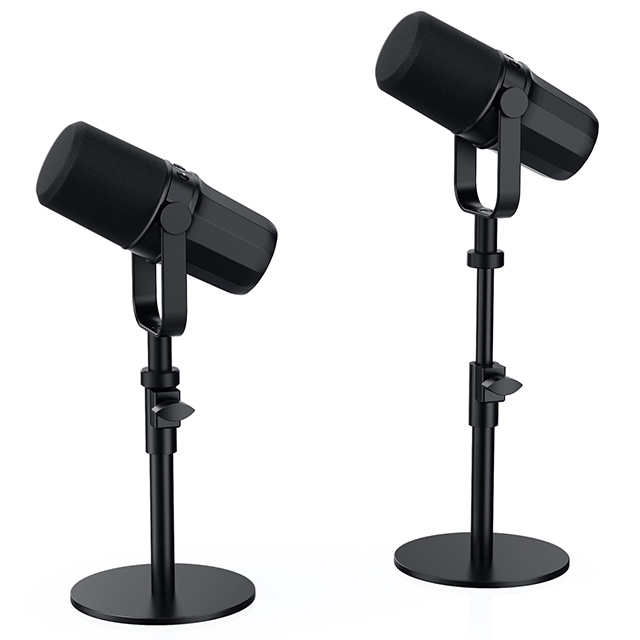
Not all lighting implementations offer the same user experience. You should carefully evaluate how a microphone manages its illumination. Some models feature physical RGB toggles directly on the chassis. These allow you to cycle colors without opening desktop applications. They frequently include capacitive touch-to-mute buttons. When you tap the top, the lights instantly turn red, providing visual confirmation your mic is muted.
Conversely, some hardware strictly relies on desktop software for all adjustments. If the application crashes, you lose control over your aesthetic and audio settings.
Most PC gamers already use an ARGB ecosystem. You might run Razer Chroma, Corsair iCUE, or Asus Aura Sync. Introducing a new piece of hardware often means installing another background application. Assess how the new device integrates into your current setup. Some independent brands support universal motherboard sync. Others lock you entirely into their proprietary software.
Heavy background applications present a massive risk to PC performance. Software resource drain directly impacts your frames per second. If a peripheral requires a 500MB application constantly running in the background, it eats valuable CPU cycles. An excellent RGB Gaming Microphone should offer a lightweight software footprint. Best practices suggest configuring your lighting profile once, saving it to the device's onboard memory, and closing the application entirely.
USB connectivity remains the dominant standard for gaming setups. It offers incredible plug-and-play simplicity. You connect one cable, and Windows instantly recognizes the device. USB models contain a built-in Analog-to-Digital Converter (ADC). This internal chip handles all audio processing. Furthermore, the single USB cable provides integrated power for the RGB lighting. The main limitation involves future hardware upgrades. You cannot route a USB mic through external analog mixing boards later.
XLR setups cater to dedicated content creators. Analog XLR cables strictly carry audio signals. They require an external audio interface, like a Focusrite Scarlett or GOXLR, to convert the analog signal into digital data for your PC. This path offers superior analog control and massive upgrade flexibility.
However, XLR complicates lighting integration. Traditional XLR cables cannot carry the necessary voltage to power vivid LED arrays. Most models using this standard require a dual-cable reality. You must plug in the XLR cable for your audio and a secondary USB cable purely to power the lights.
Connectivity Comparison Chart | ||
Feature | USB Connectivity | XLR Connectivity |
|---|---|---|
Ease of Setup | High (Plug and Play) | Low (Requires Interface) |
Hardware Required | None | Audio Interface / Mixer |
RGB Power Delivery | Single Cable | Often Requires Secondary Cable |
Upgrade Scalability | Limited | Excellent |
Purchasing great hardware represents only half the battle. Your physical mounting strategy directly dictates your final audio quality. Manufacturers often include small desktop stands in the box. You should replace these immediately. Included desk stands sit too low. Worse, they transmit desk vibrations directly into the mic capsule. Every time you type heavily or slam your mouse, the listener hears a massive bass thud.
Upgrading to a dedicated boom arm suspends the hardware in the air. Coupling the arm with a shock mount isolates the capsule entirely. The shock mount uses elastic bands to absorb kinetic energy before it reaches your audio feed. You also need a pop filter to disperse aggressive bursts of air. Words starting with "P" or "B" push fast air into the capsule, creating harsh plosive sounds. A simple mesh shield stops this instantly.
Finally, we must respect the inverse square law of acoustics. This physics principle states that sound intensity drops exponentially as distance increases. If you move your microphone twice as close to your mouth, your voice becomes significantly louder relative to the background noise in your room. Getting the mic four to six inches from your face allows you to lower the hardware gain. Lower gain means a cleaner signal and virtually zero background noise pickup.
Navigating the market requires a structured approach. Use this simple four-step framework to finalize your purchase decision.
Assess Your Environment: Take a moment to listen to your gaming room. If you hear loud PC fans, air conditioning, or traffic, you must buy a dynamic microphone. If your room is perfectly silent and acoustically treated, you can safely explore condenser options.
Define the Connectivity Path: Evaluate your technical comfort level. If you run a single-PC setup and just want to chat on Discord, choose USB. If you plan to build a dual-PC streaming rig or have pro-audio aspirations, invest in an XLR interface setup.
Filter by Aesthetic Ecosystem: Look at the brands currently lighting up your desk. Try to match the new hardware to your existing brand software. This prevents you from running multiple conflicting background programs that drain CPU performance.
Verify Hardware Features: Inspect the physical chassis of the models on your shortlist. Look for physical gain dials. Ensure they feature zero-latency monitoring headphone jacks. Confirm the presence of a capacitive mute button for quick privacy.
Building the ultimate gaming setup requires balancing visual flair with technical excellence. The best hardware leads with acoustic engineering first and treats ambient lighting as a secondary benefit. Remember to prioritize the cardioid polar pattern to keep your voice clear and focused.
Always factor a high-quality boom arm into your total upgrade budget. Proper mounting ensures you extract the maximum performance out of your chosen hardware. We encourage you to evaluate your room acoustics right now. Check your current software ecosystem before making a final purchase. By combining smart mounting techniques, the right capsule choice, and lean software, you guarantee your voice commands absolute attention in every lobby.
A: Premium models utilize heavily shielded, isolated circuitry. They prevent the electrical voltage required for lighting from crossing into the audio signal path. However, poorly shielded budget models sometimes suffer from electromagnetic interference, resulting in a faint high-pitched whine or buzz.
A: Yes, but compatibility varies by platform. The PS5 generally supports standard USB Audio Class (UAC) devices flawlessly. Xbox consoles utilize proprietary audio protocols. You must specifically purchase hardware carrying an official "Designed for Xbox" certification to ensure it works via USB.
A: Yes, an external filter remains highly recommended. Internal acoustic foam primarily protects the capsule from dust and light moisture. It rarely provides enough physical density to completely stop aggressive plosives from close-proximity speaking. An external mesh pop filter works much better.
A: Yes. Setting up an XLR model requires an external audio interface to process the analog signal. Additionally, you often face a dual-cable reality. You must run the XLR cable for the audio transmission and a separate USB cable strictly to power the lighting array.


